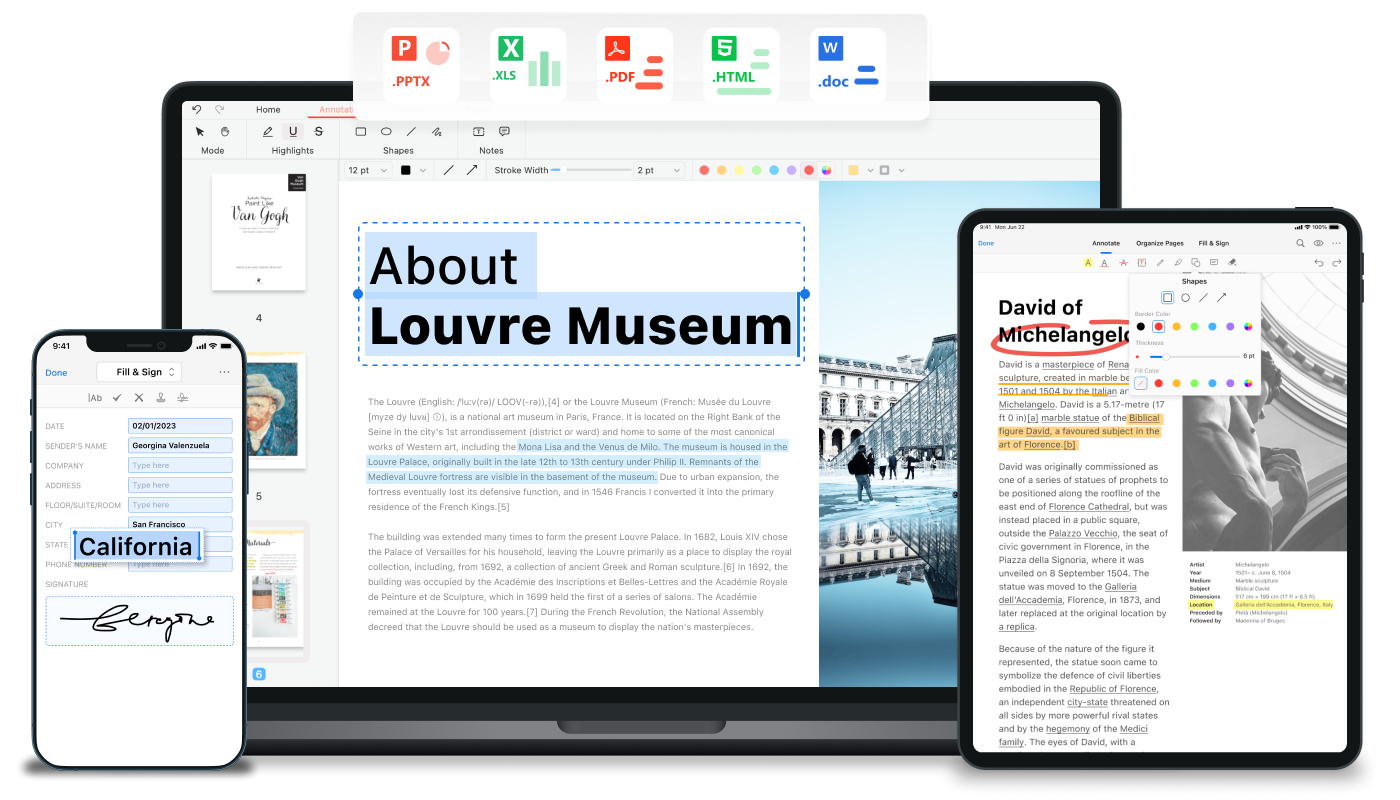
Pdfgear
Free PDF editor software and online tools to edit, convert, merge, and sign PDFs.
Key Features
-
●
PDF Editing : Allows users to modify text, images, and layouts within PDFs.
-
●
PDF Conversion : Supports conversion between PDFs and various other file formats.
-
●
PDF Merging : Enables combining multiple PDF files into a single document.
-
●
PDF Signing : Provides tools for adding electronic signatures and stamps to PDFs.
-
●
PDF Security : Offers options to password-protect and control access to PDF documents.
Pros
- ✓Free to use
- ✓Web-based and desktop app available
- ✓Supports a wide range of PDF editing and conversion features
- ✓Easy to navigate user interface
- ✓Fast processing speeds
- ✓Regular updates and improvements
- ✓Compatible with various file formats
Cons
- ✗Limited advanced editing tools
- ✗Some features may require paid subscription
- ✗Occasional performance issues with large PDF files
- ✗No mobile app available
Who is using Pdfgear?
-
●
Small Businesses : Streamline document management and collaboration.
-
●
Educators : Create, edit, and distribute educational materials.
-
●
Individuals : Manage personal documents and forms.
-
●
Government Agencies : Securely share and sign official documents.
Use Cases
- →Editing PDF text, images, and layouts
- →Converting PDFs to other file formats
- →Merging, splitting, and rearranging PDF pages
- →Adding signatures, stamps, and annotations to PDFs
- →Protecting PDFs with passwords and permissions
Pricing
-
●
Free Tier : Basic PDF editing and conversion tools.
-
●
Pro Plan : Unlocks advanced features, such as batch processing and cloud storage integration.
-
●
Enterprise Plan : Tailored solutions for businesses with custom needs and volume discounts.
Pricing details may not be up to date. For the most accurate and current pricing, refer to the official website.
What Makes Pdfgear Unique?
Pdfgear stands out with its comprehensive suite of free PDF tools, catering to a wide range of users from individuals to small businesses and enterprises. Its user-friendly interface, fast processing speeds, and regular updates make it a versatile and reliable choice for managing PDF documents.
How We Rated It
Pdfgear has earned high ratings across key evaluation criteria, including accuracy, ease of use, functionality, performance, and value. Its robust set of features, coupled with its free-to-use model, make it a top contender in the PDF editing and management space.
-
Accuracy and Reliability 4.5/5
-
Ease of Use 4.6/5
-
Functionality and Features 4.8/5
-
Performance and Speed 4.5/5
-
Customer Support 4.0/5
-
Value for Money 4.3/5